AI TOOL / #02175
Whoz
LinkedIn extensions, used to capture profile information and automatically populate the Whoz talent pool.
Introduction
LinkedIn extension to capture profiles and automatically populate Whoz talent pool.
What is the Whoz LinkedIn Extension for Chrome? What is this extension/piece of software?
The Whoz LinkedIn extension enables users to capture LinkedIn profiles and automatically add them to their Whoz talent pool. It simplifies the screening process by allowing users to directly add the profiles they are interested in to the Whoz database. Furthermore, it leverages Whoz’s AI capabilities to perform professional expertise assessments, evaluate the relevance of these profiles, track the recruitment process, and add notes during interviews.
How to use the Whoz LinkedIn Extension for Chrome?
1. Install the extension.
2. Go to Whoz, log in, and navigate to your Whoz workspace (any page that starts with https://www.whoz.com/workspace/…).
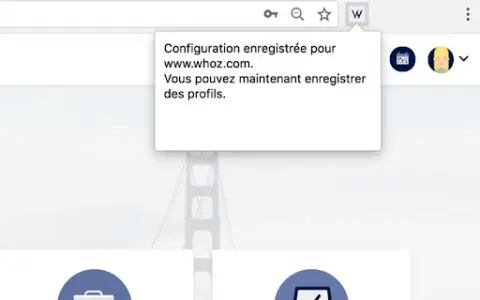
3. Click the expansion icon; a message confirming the configuration will appear.
4. Log in to LinkedIn, check your profile, and click on the extension icon. A confirmation message will appear in your Whoz talent pool, indicating that your profile has been added.
What are the core functions of the Whoz LinkedIn Extension for Chrome?
Automatically capture profiles from LinkedIn and import them into Whoz.
AI-based detection of professional knowledge and skills
AI-based assessment of profile relevance
Recruitment process tracking
Interview Notes
Related
Conversease
An AI chat platform interface designed for seamless interaction with OpenAI and Mistral models.
Camocopy
Privacy-centered AI assistants and search engines comply with GDPR standards.
Photes.io
The AI note-taking assistant is capable of converting photos, PDF files, audio recordings, and videos into organized text notes.
Disto
A Chrome extension that uses AI-powered object detection and search functionality to enable shopping from images.
Auto background remover by object recognition
An AI tool that automatically removes backgrounds from images, producing transparent PNG files as results.
GIZO- Safe Driving Global Challenge
Video remote information processing based on artificial intelligence contributes to safer and more sustainable modes of transportation.