AI TOOL / #03325
StudyBotPro
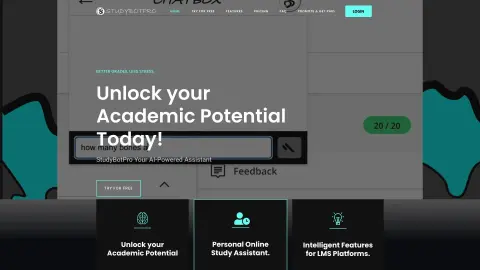
An artificial intelligence learning assistant with instant feedback, practice and real-time assistance.
Introduction
AI-powered study assistant with features for instant feedback, practice, and real-time assistance.
What is StudyBotPro?
StudyBotPro is an AI-powered study assistant designed to enhance the learning experience. It offers features like web page highlighting for instant feedback, snapshot analysis of images, live chat box assistance, study mode practice questions, and one-click solutions. Its goal is to help students reduce stress and achieve better grades through intelligent features.
How to use StudyBotPro?
To use StudyBotPro, install the Chrome extension, open an assignment or quiz on a supported web page or learning management system, and start using the software. Choosing the multiple choice question solver will guide you towards academic success.
StudyBotPro Core Features
Web page highlighting: Provides instant feedback on highlighted text.
Snapshot: Analyze images and get feedback.
Chat box: Live assistance and in-depth discussions.
Study Mode: Exam Preparation Practice Questions.
One-click selection: quick answer options.
Related
Mathos AI
An AI math tutor that helps solve problems by taking pictures
mini-browser-games
An open-source collection featuring 106 active, single-file HTML5 games—all of which are packaged within a single HTML file. No development or backend setup is required; these games can be played online immediately. Quality is the top priority, and this collection includes notable titles such as “Mountain and Sea Demon Subjugation” and “Star Furnace Workshop”; some of them also support online multiplayer mode.
bonds
Group chat apps that integrate with AI assistants
RigSpark
I’ll help you choose an open-source AI model that can be run on that machine.
DuckStation
An open-source PlayStation 1 emulator that places a focus on playable experience, speed, and long-term maintainability. It supports multiple platforms including Windows, Linux, macOS, and Android, making it one of the most popular PS1 emulators currently available.
DOSBox Staging
A modernized version of DOSBox, which provides a more user-friendly simulation environment for DOS games and older software. It is compatible with Windows, macOS, and Linux platforms.