AI TOOL / #04237
AI CLI
GPT-3 driven command interpretation CLI tool.
Introduction
GPT-3 powered CLI tool for command explanations.
What is ai-cli?
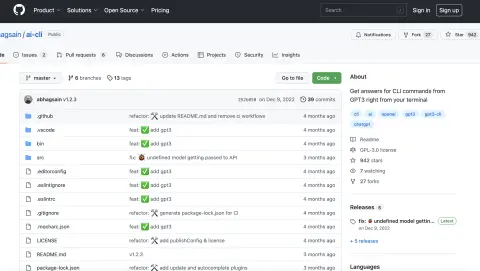
ai-cli is an open source GPT-3 driven command line interface (CLI) tool that allows users to get answers to command line instructions directly in the terminal. It leverages the OpenAI GPT-3 model to provide explanations and usage examples for various command line tools and utilities.
How to use ai-cli?
Install the tool globally using npm (npm i @abhagsain/ai-cli -g). Configure your OpenAI API key using ai auth. You can then use ai ask [question] to get answers, ai autocomplete [SHELL] to set up shell autocompletion, and ai help [COMMAND] to get command-specific help.
Core functions of ai-cli
GPT-3 driver command explanation
Shell autocompletion
OpenAI API key authentication
Model preference selection
CLI updates
Related
Scientific Paper Advisor
A more user-friendly tool for exploring Google Scholar archives. It displays citation graphs and maps research articles along with related publications on a scale of linguistic similarity.
Jotlify
Jotlify transforms complex research papers into easy-to-understand stories and audio content.
Yomu AI
Yomu is an AI-enhanced writing editor that can assist students and scholars in drafting research papers. It offers features such as document assistance, automatic completion, text editing, citation formatting, and plagiarism checking.
Citeclops
A powerful tool for quickly generating citations
PaperGen
An AI writing assistant designed to help create high-quality, plagiarism-free papers and articles, featuring automated citation functionality.
GetTxt.AI
An API used for extracting text and Markdown from documents, audio files, images, and videos.