AI TOOL / #05876
Do Browser
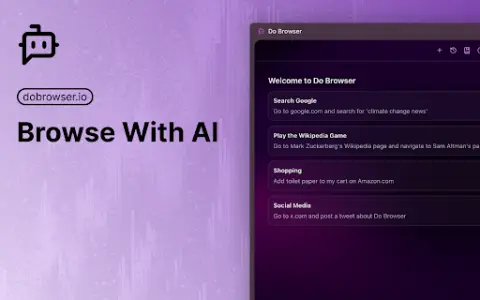
An AI-powered Chrome extension that enables control of the browser via natural language commands.
Introduction
AI-powered Chrome extension for browser control using natural language.
What is a Do Browser AI Chrome extension/plug-in?
Do Browser is an AI-powered extension for Chrome that allows users to control their browser using natural language commands. It provides quick access through the address bar or keyboard shortcuts and also supports voice commands. Its purpose is to simplify tasks such as filling out forms, shopping, and navigating complex web interfaces.
How to use the Do Browser AI Chrome extension/plug-in?
Enter “do” in the address bar or use the shortcut keys Cmd+K/Ctrl+K to activate the Do Browser. Then, use natural language commands to instruct the extension to perform tasks within the browser.
What are the core functions of browser AI Chrome extensions/plugs?
Natural Language Browser Control
Access via the address bar and keyboard shortcuts
Voice command support available
Related
Ladderly.io
A coding bootcamp alternative and career accelerator for tech professionals.
Monterey AI
An assistant in product development that transforms requirements into collaborative workflows and provides valuable insights for customers.
Jarvis AI
An AI assistant browser extension designed to enhance productivity by leveraging AI and large language models.
lalye
A comprehensive team management platform with AI assistants for OKRs, KPIs, tasks, and collaboration.
Relationchips
An AI data assistant that makes it easy to access, visualize, and activate data through natural language.
AI Data Chat by skills.ai
An AI-driven data analysis platform that quickly generates insights, visualizations and reports.