AI TOOL / #06135
Ask Screenshot for ChatGPT
Improve ChatGPT productivity by analyzing screenshots and selected text.
Introduction
Enhances ChatGPT productivity by analyzing screenshots and selected text.
What is the Ask Screenshot AI Chrome extension/plugin?
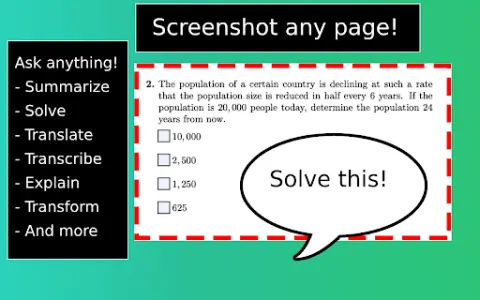
Ask Screenshot is a tool designed to improve productivity in ChatGPT, allowing users to analyze screenshots or selected text directly within ChatGPT. It offers features such as summarization, transcription, and translation, making it easier to extract information and process content from visual and textual sources.
How do I use the Ask Screenshot AI Chrome extension/plugin?
To use Ask Screenshot, right-click anywhere on any page and hover over Ask GPT to access the available screenshot templates. For selected text, right-click the selected text and hover over Ask GPT to view the available templates.
Core features of the Ask Screenshot AI Chrome extension/plugin
Screenshot and analyze: Take a screenshot and automatically open it in ChatGPT for analysis.
Text selection and analysis: Right-click any selected text to automatically open it in ChatGPT.
Related
SaaSquare
A micro SaaS startup that provides a fast and secure marketplace for buying and selling.
shobot_extension
Assist shopping center operators with procurement activities and integration with Firebase.
AI-sprinter
An automation agency focusing on AI-driven digitalization and automation services.
Datavise
Datavise offers artificial intelligence and data solutions designed to enhance the innovation and efficiency of enterprises.
Everloop AI
An AI-based automation service platform designed to automate tasks on a monthly subscription basis.
QWIP
An application designed for seeking advice from AI experts in various fields.