AI TOOL / #06677
Voice Control for Netflix
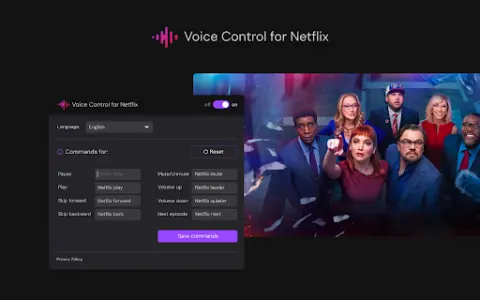
Use voice control to operate Netflix: play, pause, fast-forward, and more.
Introduction
Control Netflix with your voice: play, pause, fast-forward, and more.
What is the Voice Control for Netflix AI Chrome extension/plugin?
Netflix’s voice control allows users to manage their Netflix experience via voice commands. This includes tasks such as playing, pausing, and advancing videos, all without the need to use a remote control or touch the screen.
How to use the Voice Control feature for the Netflix AI Chrome extension/plug-in?
Simply enable Netflix’s voice control, and then use voice commands to control playback, navigate the menu, and search for content.
The core functionality of the Netflix AI Chrome extension/plugin for voice control
Use voice control to operate Netflix playback functions (play, pause, fast forward, rewind).
Hands-free navigation, Netflix menu
Voice search for films and TV shows
Related
Genius PT
An artificial intelligence tool that generates SOAP records for physiotherapists.
Avey
AI-driven applications for self-diagnosis, doctor connection, medication ordering and health discussions.
Welcome to AllGalaxy
An AI-driven mental health platform that provides personalized insights and care recommendations.
Smartlink Health
Configure telehealth visits in real time from EHR scheduling for Smartlink SDC clinics.
Gala Coach
The AI-based platform provides affordable GLP-1 drugs and personalized weight loss support.
MyItura
MyItura provides tools for healthcare providers and offers telehealth services to patients.