AI TOOL / #06776
ScreenApp
An AI-enabled screen recording, transcription, and audio and video content summarization tool.
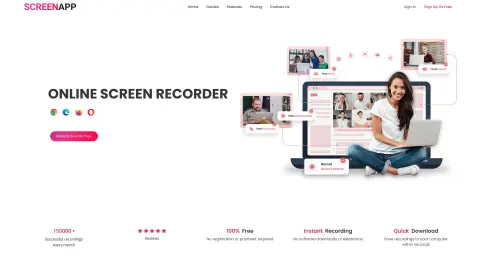
Introduction
AI-powered screen recorder, transcriber, and summarizer for audio and video content.
What is ScreenApp?
ScreenApp is an online application that allows users to quickly record audio, screen and video with one click. It leverages artificial intelligence for note-taking, transcription, and content summarization, making it an ideal onboarding, education, and knowledge management tool. ScreenApp offers features such as AI note-taking, transcription, summarizing, and recording (audio and video).
How to use ScreenApp?
Use ScreenApp to record your screen, audio or video and AI will automatically transcribe and summarize the content. You can then share your recordings and access them in a unified video library.
ScreenApp Core Features
AI note-taking
Transcribe
Summarize
screen recording
audio recording
video recording
Meeting minutes generation
audio to text
Video analysis
Related
Reef Dive: Diving among coral reefs
The author submitted the three.js diving game they developed in October to Fable 5.2 for modification; after just one day of work, the visual quality of the game was significantly improved.
Painted Valley: A Ghibli-like Valley
Hand-drawn scenes that can be explored; open-source.
The Garden: The Summer Solstice Garden
A garden where Rust code is compiled into WASM and rendered using WebGPU
Disassembly of the SR-71 engine
An SR-71 flying at an altitude of 80,000 feet – with one of its engines removed: by adjusting the throttle control, observe how the air inlet system connects to the thrust generation mechanism.
San Francisco Golden Hour
A simple prompt: use pure JavaScript and the Canvas API to create an image that depicts the Golden Gate Bridge, the skyline, fog, reflections, and the cable cars – without using any images or pre-existing libraries.
OffiAI
Install AI agents in a 3D office environment.