AI TOOL / #06784
ListenUp! – Capture feedback, record meetings
A Chrome extension designed for recording, transcribing, and centrally managing insights gathered from phone calls.
Introduction
Chrome extension to record, transcribe, and centralize call insights.
What is the ListenUp! AI Chrome extension/plug-in?
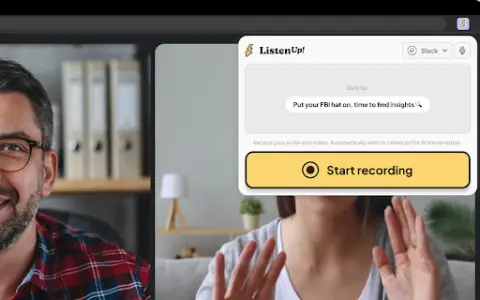
ListenUp! is a Chrome extension designed to record and transcribe telephone conversations, enabling users to organize the insights gathered during these calls alongside information from other sources – all in order to help them make better product decisions.
How to use the ListenUp! AI Chrome extension/plug-in?
1. Add the ListenUp! extension to Chrome and fix it in place.
2. During the call, open the extension app and click “Start Recording”.
3. When the call ends, click “Stop Recording”. The recorded call will be automatically added to the “Recordings” section of your ListenUp! account and will be transcribed accordingly.
The core functions of the ListenUp! AI Chrome extension.
call recording
Automatic transcription
Centralized storage of insights
Related
New Coding Wrapped
Turn AI coding records into a pixel-art annual report.
New Phonon
A lightweight TTS system that runs locally within the browser.
New Smart Jelly
Mac personal AI assistant with local memory
New WinnerAdSpy
Information on Mobile Games and App Advertising Materials
New Empacer
Voice AI business assistant for small merchants
New Trigger.dev
Open-source TypeScript AI proxy workflow platform