AI TOOL / #06950
Snapshot by AnswersAi
Chrome extension that provides immediate answers and learning assistance through screenshots.
Introduction
Chrome Extension for instant answers and learning support using screenshots.
What is the AnswersAi Chrome extension/plug-in?
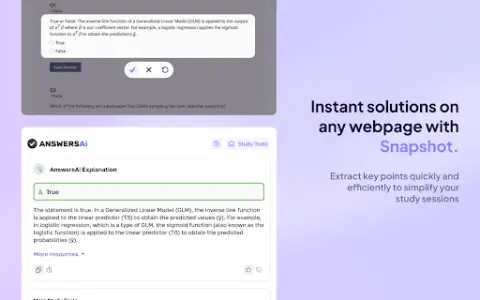
AnswersAi is a Chrome extension designed to provide students with immediate and accurate answers. All users need to do is take a screenshot of the question they want help with, and they will immediately receive detailed explanations along with step-by-step solutions. This makes it an extremely useful tool for exam preparation, homework assistance, and enhancing understanding of various subjects.
How to use the AnswersAi Chrome extension/plug-in?
Install the AnswersAi Chrome extension. When you encounter a problem, use this extension to take a screenshot. AnswersAi will then provide you with detailed explanations and solutions.
The core functions of the AnswersAi Chrome extension/plug-in
Instant answers are provided through screenshot analysis.
Provide a comprehensive explanation along with step-by-step solutions.
Supports multiple disciplines
Seamlessly integrated with the browsing experience
Related
Risotto
AI-powered automation tools for IT support.
XX.AI
XX.AI is a desktop AI writing assistant driven by top-notch AI models.
Shulex Copilot
AI-powered e-commerce tools assist sellers in analyzing data, optimizing product listings, and enhancing customer service.
Celina
An AI-powered spreadsheet assistant that uses natural language to manage and analyze data.
Excel Dashboard Ai
AI tool that instantly turns Excel files into dashboards and reports.
RapidChart.ai
An AI-based tool for generating technical diagrams from text.