AI TOOL / #07082
SeeHear – Text Capture
An iPhone app that instantly converts text displayed on the camera into speech.
Introduction
iPhone app that converts camera text to speech instantly.
What is SeeHear – Text Capture?
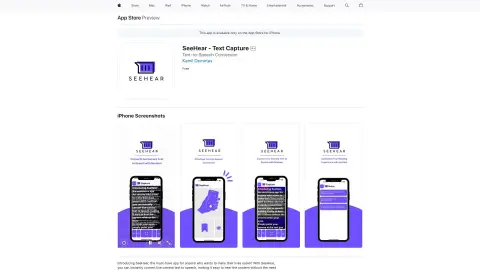
SeeHear is an iPhone application that can instantly convert text displayed on the live camera into spoken words. Users can point the camera at the text, and the app will automatically recognize it and read it out aloud. Additionally, users can take photos of the text and save them for future reference. This tool is designed to assist people with visual or reading impairments, as well as those who simply want to save time by having texts read aloud for them.
How to use SeeHear – Text Capture?
Simply point your iPhone’s camera at the text you would like to have read aloud. SeeHear will automatically recognize the text and read it out for you. You can also take a photo of the text for future use.
The core functionality of SeeHear – Text Capture
Real-time text-to-speech conversion using a webcam
Save the captured text to the iPhone’s photo album.
The text size and font type can be customized.
Save and share the captured text.
Related
prolific.com
A platform that connects researchers with verified participants in order to facilitate the collection of high-quality data.
OmniScholar
An AI-powered research platform that streamlines academic workflows from discovery to publication.
Buildots
AI-based construction management, utilized for progress tracking and the reduction of delays.
Dragonfly AI Extension
Measure and analyze digital experience performance in real time using predictive attention algorithms.
Weather Me Good
AI-powered weather forecasts, activity suggestions, and restaurant recommendations for travel destinations.
Religione AI
A platform for booking ritual ceremonies, seeking spiritual guidance, and obtaining personalized astrological insights.