AI TOOL / #07091
ScreenRedact
A Mac application designed to use local machine learning techniques to identify and highlight text within images.
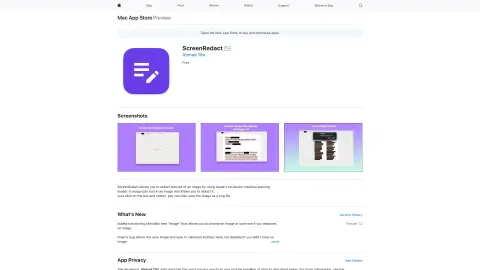
Introduction
Mac app for redacting text in images using on-device machine learning.
What is ScreenRedact?
ScreenRedact is a Mac application developed by Ahmad Tibi that allows users to quickly conceal sensitive information from images. It utilizes Apple’s native machine learning technology to identify text within images and provides a user-friendly interface for masking those areas. The modified images can then be saved in PNG format.
How to use ScreenRedact?
Open an image in ScreenRedact, and the application will automatically detect any text present. Click on the text to darken it. Save the darkened image as a PNG file.
The core functions of ScreenRedact
Using Apple’s native machine learning technologies for text masking/darkening.
Save the image in PNG format.
Copy the image to the clipboard.
Related
Soopra
A personalization engine for personalized interactions between experts and knowledge seekers.
Alova: AI News, Updates & Tips
An AI news and resources app offering updates, insights, and free learning materials.
The AI Times
News applications powered by artificial intelligence provide unbiased, accurate news – and sometimes, even a touch of humor.
Pods – Minimal RSS News Reader
A minimalist RSS reader that offers AI-generated summaries and customizable news sources.
Listen2.AI
Artificial intelligence-powered applications provide unbiased and personalized news content through short audio segments.
The Rundown AI
5 minutes daily of AI-driven news, analyses, and insights into practical applications.