AI TOOL / #07146
ImageToText
An extension that copies text from images on the internet via the OCR.Space API.
Introduction
An extension to copy text from images on the internet using OCR.Space API.
What is the OCR.Space API AI Chrome extension/plugin?
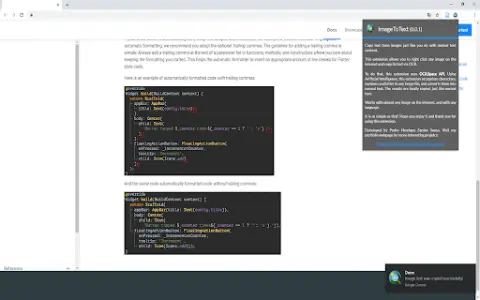
This extension lets you copy text from any image on the internet just like regular text content. Simple—that's the goal of this app. Just right-click the image, select “Copy Image Text,” and you're done… You can use and paste the text you see in that image. It's very useful for extracting text from informative, entertaining, and code-block images. Now you don't have to rewrite everything—with this extension, the problem is solved. To process images, this extension uses the OCR.Space API.
How do I use the OCR.Space API AI Chrome extension/plugin?
Right-click an image, select "Copy Image Text," and then paste the extracted text.
Core features of the OCR.Space API AI Chrome extension/plugin
Copy text from images on the internet.
Related
Checkmyidea-IA
Services driven by artificial intelligence that enable the rapid and efficient verification of business ideas.
Take Care
TakeCare offers instant health advice from pharmacists through online consultations for £5.
Intapp
Intapp: An artificial intelligence-based software designed for professional and financial services companies, helping to promote growth and manage risks effectively.
ai4bd.com
AI4BD provides AI-based products and services for the automation and digitization of enterprise processes.
Trelent
Trelent provides customized artificial intelligence solutions for enterprises, with a focus on security and speed.
The AI Exchange
A platform designed for learning, collaborating, and utilizing artificial intelligence to drive business transformation.