AI TOOL / #09926
MacGaiver
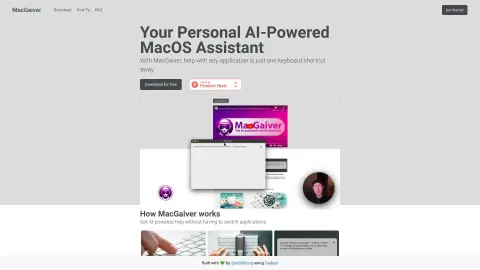
An AI-powered macOS assistant that uses computer vision to answer questions regarding any application.
Introduction
AI-powered macOS assistant that answers questions about any application using computer vision.
What is MacGaiver?
MacGaiver is an AI-powered macOS assistant that utilizes computer vision to answer questions regarding any application. By pressing a keyboard shortcut and posing your question, you can get assistance without leaving the current window. MacGaiver uses the OpenAI Vision API to provide answers in the context of your query.
How to use MacGaiver?
In any application, you can activate MacGaiver using keyboard shortcuts to submit your question—either in audio or text form. MacGaiver will then respond using answers derived from the context, relying on OpenAI GPT-V for its functionality.
The core features of MacGaiver
Provide AI-powered assistance within any macOS application.
Utilize computer vision to provide context-based answers.
Activate keyboard shortcuts
Integration with the OpenAI Vision API
Related
5-Out
AI-powered restaurant forecasting software, designed to optimize procurement processes and labor scheduling.
openknowledgemaps.org
A visual search engine for scientific knowledge that promotes open science and knowledge discovery.
Analyzr
A code-free predictive analytics and machine learning platform, specifically designed for B2B sales and marketing services.
SeeTree_AI
SeeTree offers intelligent analysis for each individual tree, utilizing artificial intelligence to optimize agricultural practices and enhance the return on investment.
SQOR.ai
The AI platform transforms SaaS data into actionable business intelligence and predictive insights.
Jeda.ai – Ai Workspace Canvas
An integrated generative AI workspace designed for visual content creation and strategic analysis.