AI TOOL / #06422
Dictanote
A note-taking app with speech-to-text functionality that supports more than 50 languages and AI summarization.
Introduction
A note-taking app with speech-to-text, supporting 50+ languages and AI summarization.
What is Dictanote?
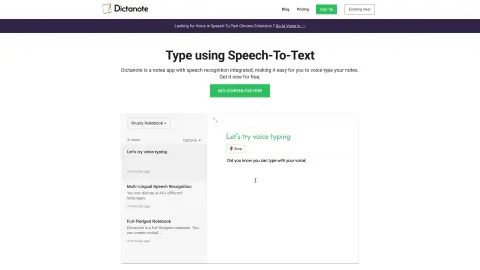
Dictanote is a modern note-taking application with a built-in speech-to-text function that allows users to easily enter notes by voice and supports more than 50 languages. It provides a seamless experience between keyboard and voice input, improving productivity with accurate dictation and transcription capabilities. Dictanote also offers AudioScribe, a smart AI writing assistant that converts voice notes into clear, summarized text.
How to use Dictanote?
Users can switch between keyboard input and voice input to create notes. Dictanote accurately converts speech to text in real time, allowing paragraphs, punctuation, and emoticons to be added using voice commands. The AudioScribe feature converts voice notes into summarized text.
Dictanote’s core features
Speech-to-text in 50+ languages
real-time transcription
Voice commands for punctuation and formatting
AudioScribe AI Writing Assistant
Access notes offline
Custom voice commands
unlimited notebook
Related
Anime AI Generator
An AI tool used to create anime-style artistic works based on text or images.
Window AI
A platform that connects AI models to the internet, utilized for text and 3D creation.
Labubu Wallpaper – 100+ Labubu Live Wallpapers & 4K Walls (Updated Daily)
Welcome to the world's largest and most captivating collection of over 1,000 Labubu live wallpapers and 4K static backgrounds, updated daily for all your fans.
KONFIWEAR
Clothing customization software that integrates 3D design with e-commerce functionality.
Blueberry AI
AI-powered digital asset management for 3D assets and design files.
Depthforge
AI-based app to create 3D images with text prompts on Apple Vision Pro.